
Cannot see my Wifi
When you cannot see your Wifi this can be resolved by a couple of methods. If you’ve accidently reset the router recently, you might find the Wifi name has defaulted to the routers manufactures name; for example “TPLINK_EAP”. If this is the strongest Wifi connection when standing near the router this is likely the case. Typically, you can find the Wifi password on the bottom of the router along with the default Wifi name. If this doesn’t apply to you, look below for instructions depending on what router you have.
TPLINK ROUTER
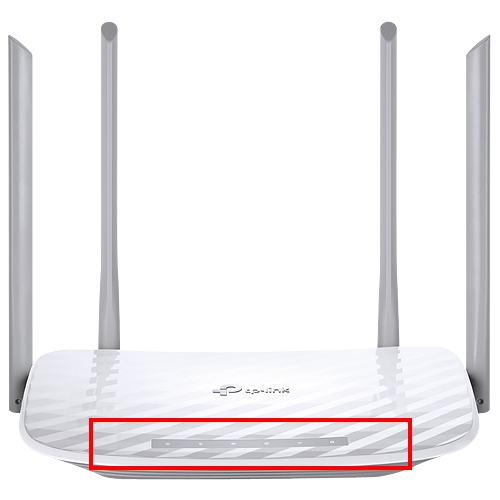
There should be lights on the TOP of the FRONT of the router, please make sure that the lights are on. If there are no lights on the router you need to check the thin BLACK power cable. Make sure this is connected correctly to the back of the router and plugged into a working wall or extension lead socket.
TENDA ROUTER
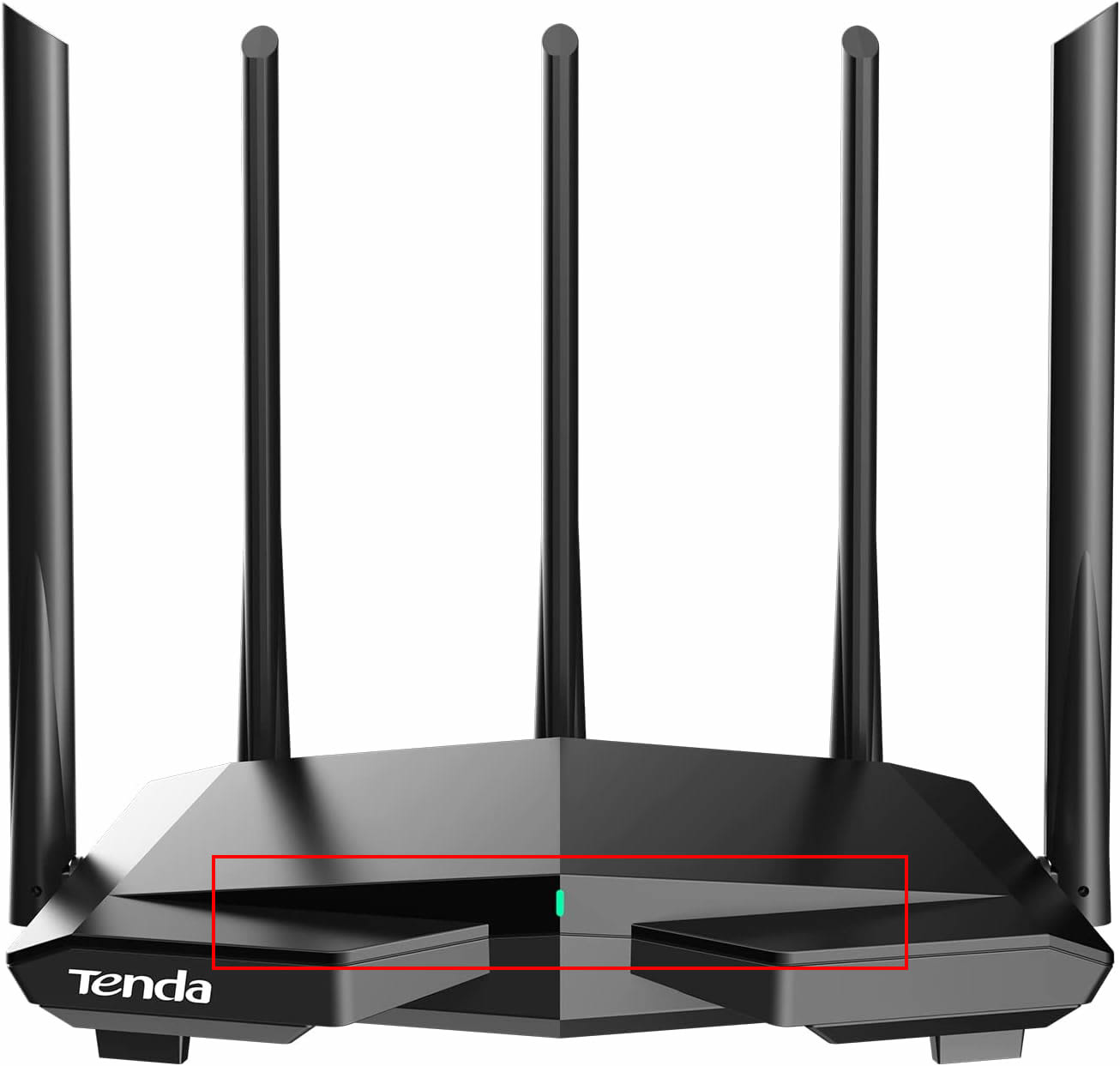
There should be lights on the FRONT of the router, please make sure that the lights are on. If there are no lights on the router you need to check the thin BLACK power cable. Make sure this is connected correctly to the back of the router and plugged into a working wall or extension lead socket.
MIKROTIK ROUTER
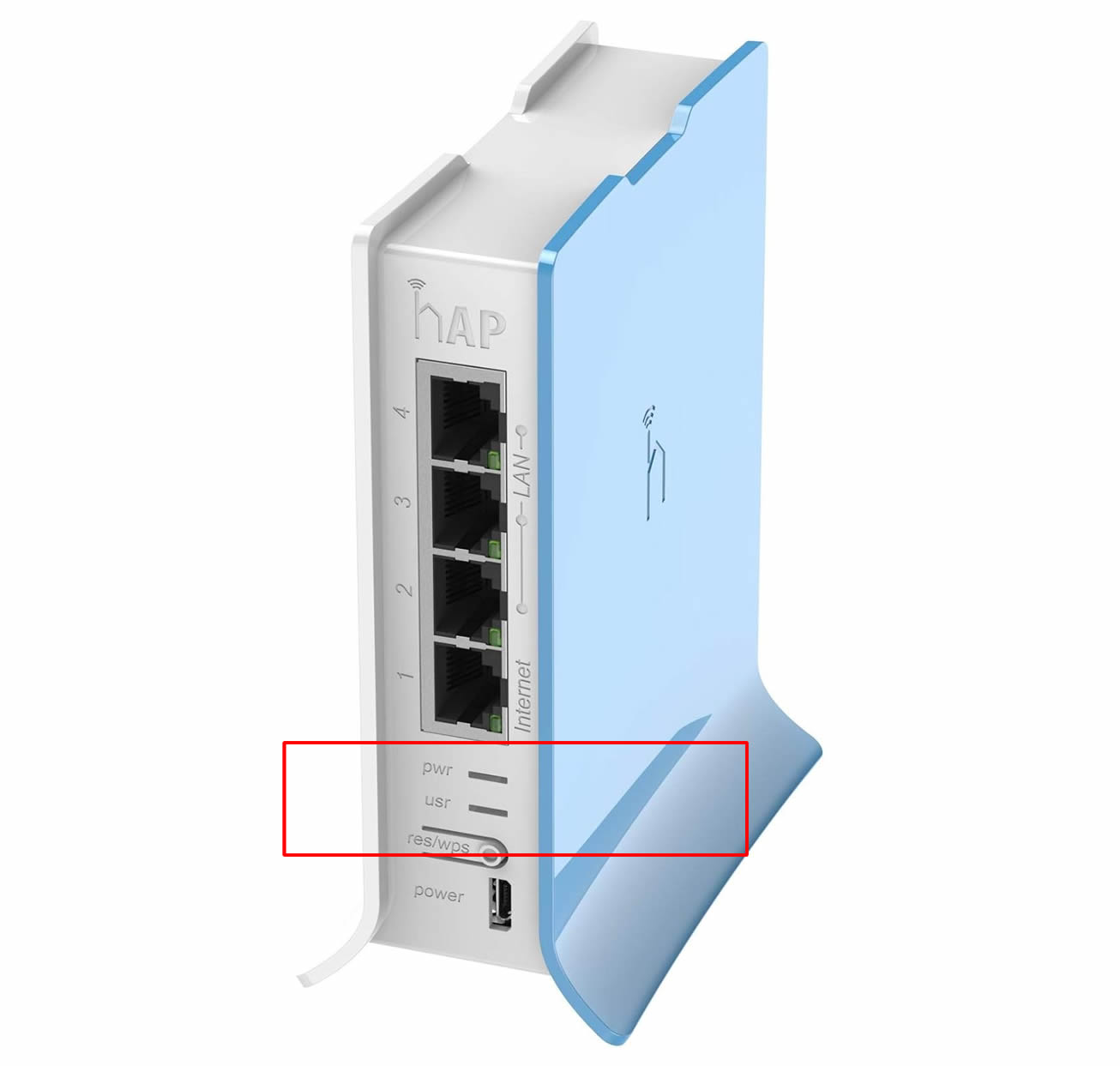
There should be lights on the top of the BACK of the router, please make sure that the lights are on. If there are no lights on the router you need to check the thin BLACK power cable. Make sure this is connected correctly to the back of the router and plugged into a working wall or extension lead socket.